

Is SaaS dead? No. But the way businesses buy and use software is changing faster than at any point since the move to the cloud, and the businesses that adjust early may be able to reduce costs and understand their own numbers better.
For years the deal was simple: rent a tool, learn its screens, and export its data into a spreadsheet whenever you needed a real answer. AI assistants that connect directly to your data are breaking that deal. Here’s how we got here, what has changed, and how to decide which subscriptions to keep, which to swap and what to build.
How businesses have bought software: a short history
The first era was the box. VisiCalc, the first spreadsheet widely bought by businesses, launched in 1979. Lotus 1-2-3 followed in 1983 and Microsoft Excel in 1985. You bought a licence, installed it on one machine and owned that version until you paid to upgrade.
The second era started in June 2011, when Microsoft launched Office 365. It bundled Office, email and file sharing into a monthly subscription, from $6 per user per month for small businesses. Your tools followed you onto your phone and laptop, wherever you had a signal. The trade-off was that you stopped owning software and started renting it, and the vendor decided when things changed.
Across both eras, getting insight barely moved on. Data lived in one system, reports in another, and someone had to export, clean and chart it before anyone could make a decision. Often that meant buying in extra data or paying someone to build the report.
Why the subscription model is wearing thin
Prices keep rising. Vertice, which tracks software contract renewals, measured SaaS prices up 12.3% year on year in September 2025, roughly four times US consumer inflation. Microsoft 365 is one example of a widely used subscription service where even relatively small changes in per-user pricing can have a significant impact across a team.
Subscription prices vary by country, billing term and plan, so it is worth checking the latest UK pricing before renewing rather than relying on an old quote.
We’ve broken down how these bills stack up in the hidden maths of business app subscriptions.
The screens change under you. When Google retired Universal Analytics, standard properties stopped processing data on 1 July 2023 and everyone was moved to GA4, a different tool with different reports. Every change like this means relearning where things are, or paying someone who already knows. Our guide to website analytics shows which reports actually matter.
Your data is scattered. Leads sit in one tool, SEO in another, finance in a third. Each charges per seat, and getting them to talk to each other takes extra work.
It’s like keeping your filing cabinets in six different buildings, each with its own key, and paying rent on all six.
What changed: AI assistants and MCP connectors
In November 2024, Anthropic, the company behind Claude, released the Model Context Protocol (MCP), an open standard for connecting AI assistants to the systems where business data lives. Other AI providers, including OpenAI, have also adopted MCP. By December 2025, MCP had moved to a neutral home under the Linux Foundation, with more than 97 million monthly SDK downloads and support in ChatGPT, Claude, Gemini and Microsoft Copilot.
What is MCP, in plain English?
Think of a universal travel adaptor. Before, every tool needed its own custom plug to work with an AI. Now one standard plug fits them all. Connect your analytics, CRM or email platform, and Claude or ChatGPT can read that data and act on it when you ask.
That moves the dashboard. Instead of logging into five tools and learning five interfaces, you ask one assistant, by typing or by voice, and get the answer in the format that suits you: a table, a chart, a short summary or a draft email. Then you ask a follow-up question, which no fixed report lets you do.
Investors noticed. In 2026, investors and industry commentators increasingly questioned how AI assistants and agents might affect traditional software businesses. The concern is not that every subscription will disappear, but that some tasks previously requiring a separate software interface may be handled through an AI assistant.
How we use connectors at Webshape
At Webshape Design, we use AI connectors alongside our own tools, including Webshape Research and Lead Tracker, to bring information from different systems into one place. This helps us access business data, compare results and manage workflows without switching between multiple software platforms.
- SEO research. We connect DataForSEO and Ubersuggest and run the same keyword or ranking check in both, side by side. When the tools disagree, we see it immediately instead of trusting one number. The keyword research for this post was done this way.
- Finding prospects. Our own Webshape Research tool finds UK companies through Companies House data, and Hunter.io’s connector finds and verifies the right contact. The assistant pulls it into a shortlist for a person to review.
- Newsletters. Resend’s official connector covers contacts, segments and broadcasts, so a newsletter can be assembled for the right audience and scheduled from one conversation. A human writes and edits it before anything is sent.
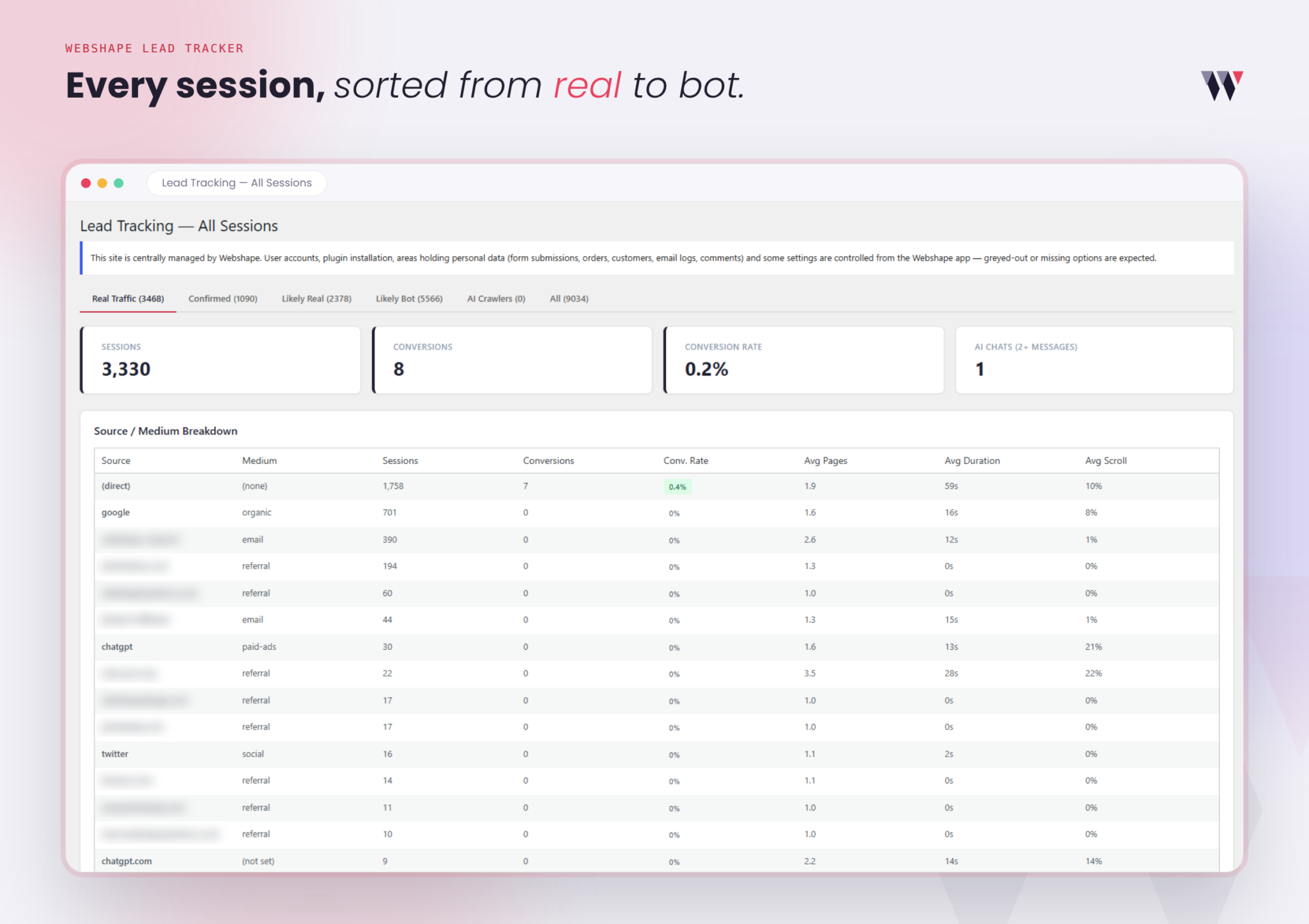
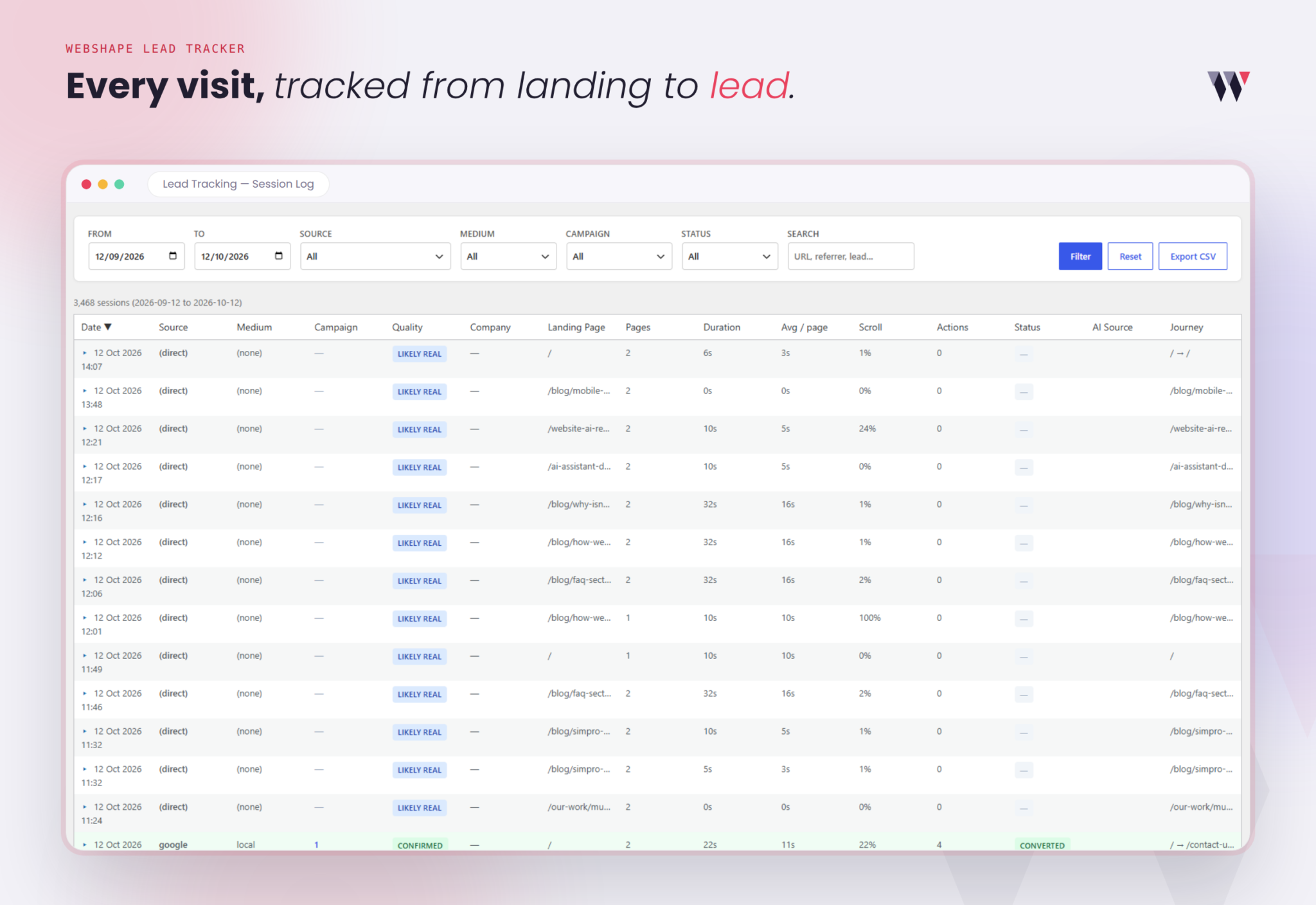
- Enquiry tracking. Our own Lead Tracker monitors website sessions, traffic sources, visitor behaviour, landing pages, conversions and conversion rates. It also records engagement metrics such as pages visited, session duration, scroll depth and visitor journeys, while helping distinguish genuine traffic from bots. This data helps us understand where enquiries come from and how visitors interact with a website, supporting more informed client reporting.
- Our own project app. Tasks, client notes and time logs are reachable from the same assistant.
For example, when researching a keyword, comparing DataForSEO with Ubersuggest helps us see where search volume or difficulty estimates differ. Rather than presenting one tool’s estimate as a definitive answer, we can compare the available figures and make a more informed judgement. This is a practical example of using connected tools to support research without claiming unmeasured time savings.
What to swap, what to keep, what to build
SaaS isn’t dead for everything. A practical rule of thumb:
Keep software where the provider carries real responsibility: accounting, payroll, banking integrations and compliance-heavy systems. The case for SaaS stays strong where a process is mission-critical, regulated and much the same across many organisations.
Swap tools you mainly pay for to look at data you already own. An assistant connected to the source can often answer the same questions, and it won’t move the buttons on you.
Build where your process is your competitive edge. If you’re bending your business to fit someone else’s platform, a custom application can pay back. We cover the warning signs in when to replace your SaaS stack and bespoke vs off-the-shelf software, and the limits of DIY AI app builders in Lovable vs custom app development.
Be clear-eyed about the risks. A connector gives an AI access to real business data, so permissions matter. Security researchers have demonstrated “tool poisoning”, where a malicious connector hides instructions that can leak data. Use official connectors from the vendor, grant the least access needed, and check figures before acting on them.
Our view: for most businesses we work with, the first win isn’t cancelling software. It’s connecting the data you already pay for so you can ask it questions. Once that works, the subscriptions you only use for viewing reports are the obvious ones to cut.
Where to start
- List every subscription, what it costs and what you actually use it for.
- Mark which tools hold your data and which you only use to view it.
- Check which have an official MCP connector.
- Pick one question you ask every month and try answering it through an assistant.
If you’d like help mapping your tools and connecting them safely, book an AI for business consultation.
An initial conversation can help you explain the tools your business currently uses, where information is difficult to access and which repetitive tasks take up time. From there, Webshape can discuss potential approaches, whether that means making better use of existing software, exploring AI connectors or considering a bespoke application. The right solution and any associated costs depend on your requirements, so contact us to discuss your project.
And if the answer turns out to be a custom build, see how we replace SaaS with software you own.
Read More:
Frequently Asked Questions
No. Subscription software is still growing, but how it’s priced and used is shifting as AI agents take on work that used to need people clicking through screens. Tools that hold regulated or critical data will stay; tools you only use to view reports are most at risk.
MCP (Model Context Protocol) is an open standard that lets AI assistants such as Claude and ChatGPT connect to your business tools. Think of it as a universal plug: one standard way for an AI to read your data and, with permission, take actions.
Not for official connectors, which usually just need you to sign in and approve access. Custom data sources or your own systems need a developer to build or configure a connector.
It can be, with care. Use official connectors from the software vendor, give only the access needed, and review what the assistant does before it sends or changes anything. Researchers have shown malicious connectors can leak data, so avoid unknown third-party ones.
Keep systems that carry legal, financial or compliance responsibility, such as accounting and payroll. Review tools you mainly use to view or report on data, as an assistant connected to the source may replace them.
An AI setup consultation helps businesses explore how artificial intelligence can improve their existing processes and make better use of their software and data. This may involve reviewing current tools, identifying opportunities for automation and exploring how AI connectors can bring information from different systems together. The aim is to identify practical solutions that reduce repetitive tasks, improve efficiency and support better business decisions. For more information, contact Webshape Design to discuss your requirements.