

Ask Claude or ChatGPT for a social graphic on Monday and a slide deck on Tuesday, and you may end up with two very different results. The colours are slightly wrong, the typography doesn’t match your website, or the tone sounds nothing like your business. Someone then has to spend time correcting the work.
A Claude design system helps address this problem by giving Claude a consistent set of brand rules to follow when generating designs and other visual content.
Instead of repeatedly explaining your colours, fonts, layouts and design preferences, you can create a reusable reference that helps Claude produce work that aligns more closely with your established brand.
Why Does AI-Generated Content Drift Off Brand?
AI tools can generate content quickly, but they do not automatically understand every detail of your brand identity. Without clear instructions, they may select colours, fonts, layouts or design styles that differ from those your business normally uses.
The problem becomes more noticeable when several employees use AI to create marketing materials. Each person may write different prompts, provide different examples or interpret the brand guidelines differently.
As a result, presentations, website concepts, social graphics and documents can begin to look inconsistent.
Traditional brand guidelines help establish a visual identity, but employees still need to read and apply them. A Claude design system makes those rules available within the AI-assisted design process, helping reduce the amount of repeated instruction and correction.
What Is a Claude Design System?
A Claude design system is a structured collection of brand guidelines, visual components and design rules that Claude can reference when creating content.
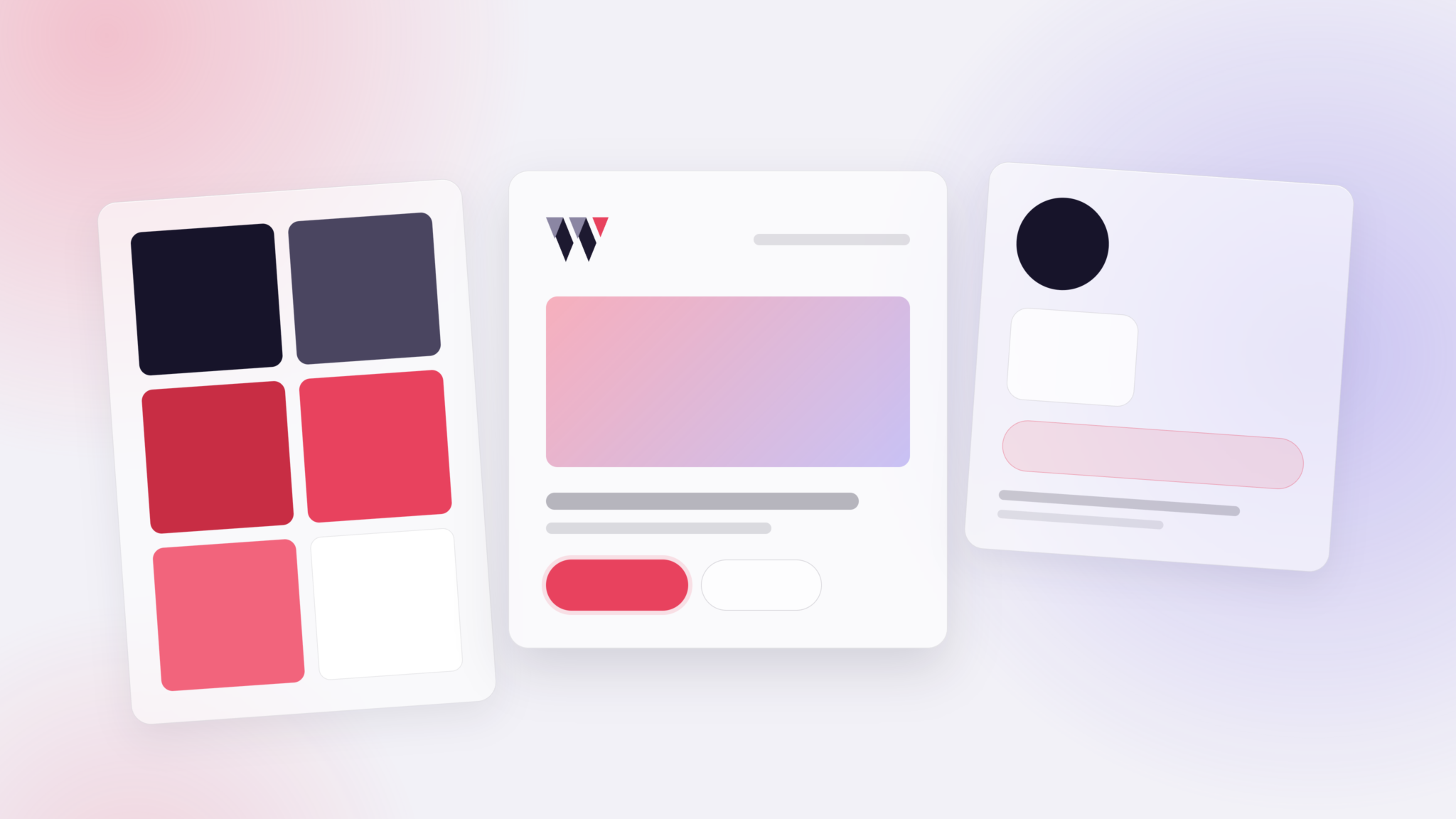
It can include your brand colours, typography, logo usage, spacing, layouts, reusable components and examples of existing marketing materials.
Think of it as a practical version of your brand guidelines that can be used during the design process rather than simply stored in a PDF.
For example, instead of telling Claude to use your company colours every time you create a presentation, the design system can document the correct colour values and explain where each colour should be used.
It can also describe how headings, buttons, backgrounds, images and other visual elements should appear across different types of content.
These settings are often referred to as design tokens. A design token records a specific design value, such as a colour, font size or spacing measurement, so it can be applied consistently.
How Does a Claude Design System Keep AI Output On Brand?
A well-prepared Claude design system helps establish consistent design rules that can be applied to different projects.
1. It Uses Your Existing Brand Assets
A design system can be developed using materials your business already has, including brand guidelines, logos, colour palettes, typography specifications, website designs and presentations.
These assets help establish the visual identity Claude should follow when generating new work.
Providing examples of completed designs can be particularly useful because they demonstrate how your brand rules work together in practice.
2. It Defines How Brand Elements Should Be Used
Knowing your brand colours is only part of maintaining consistency. Claude also needs guidance on how those colours should be applied.
For example, your guidelines might specify that a particular colour is used for headings and buttons, while another is reserved for backgrounds or supporting elements.
The same principle applies to typography, image selection, spacing and layout.
By documenting these rules, a design system gives Claude more specific instructions than a simple list of colours and fonts.
3. It Creates a Shared Reference for Teams
When employees use the same approved design system, they have a common reference for creating AI-assisted designs.
This can help reduce differences between materials produced by different team members and make it easier to maintain a consistent visual identity.
Depending on the Claude plan and available administration settings, organisations may also be able to manage shared design systems centrally.
Where Can You Use a Claude Design System?
A Claude design system can support different types of visual content. The important point is that the brand identity remains consistent while the layout and presentation are adapted to the format.
- Websites and applications: Apply brand colours, typography and layout patterns when creating website concepts, interface designs and prototypes.
- Presentations: Maintain consistent headings, colour schemes, spacing and visual styles across slides.
- Documents: Create reports, proposals and other business documents using recognisable brand elements.
- Social media: Provide design guidance for promotional graphics and other marketing materials.
- Email marketing: Use the design system as a reference for branded email layouts and visual content.
- Print materials: Document logo usage, typography and layout requirements for brochures, flyers and other printed materials.
Not every format can be exported or published directly from Claude. Some outputs may need additional work in design, email or print production software before they are ready to use.
What Makes a Good Claude Design System?
A useful Claude design system should do more than record a few colour codes and font names. It needs to explain how the different elements of your brand work together.
Clear Brand Colours and Typography
Include the correct colour values, font families, heading styles and supporting typography. Explain which elements should use each style so the results are consistent.
Practical Layout Rules
Document spacing, alignment, image placement, button styles and other design patterns that appear regularly across your materials.
Guidance for Different Channels
A presentation slide has different requirements from a website page or social media graphic. Your design system should explain how the brand can be adapted without losing its identity.
Examples of Existing Work
Finished examples can help Claude understand the overall appearance of your brand. These might include approved presentations, website pages, social graphics or other materials that accurately represent your visual identity.
Testing and Refinement
A design system should be tested using realistic tasks before it becomes part of your regular workflow.
For example, you could use it to generate a presentation, website concept and social graphic, then compare the results against your existing brand guidelines.
Any inconsistencies can be used to refine the instructions and improve future outputs.
How We Use Claude Design Systems at Webshape
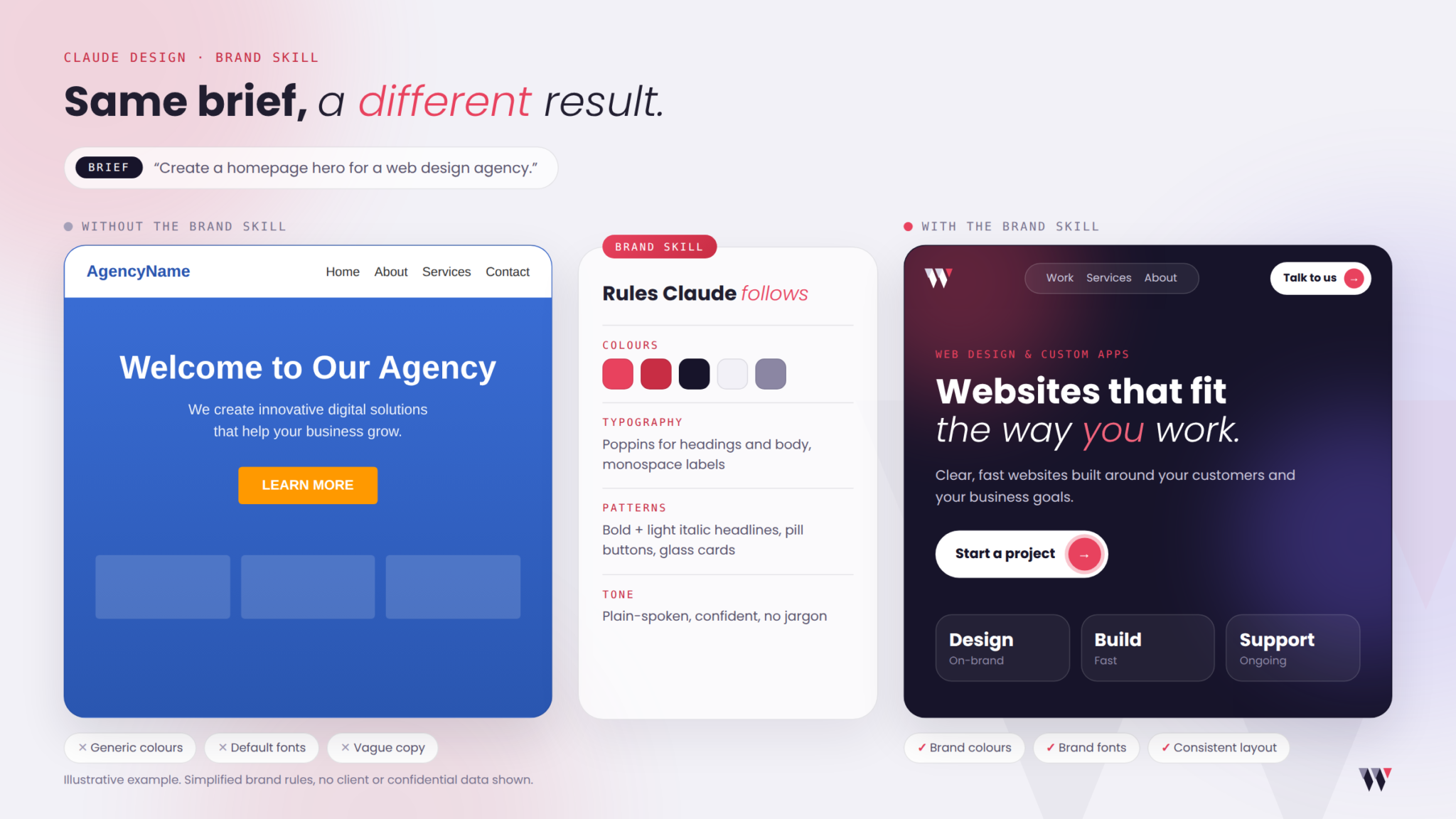
At Webshape Design, we use our own Brand Skill within a dedicated Claude Design environment to guide AI-assisted design work.
Our Brand Skill provides information about Webshape’s colours, typography and design preferences, helping Claude create materials that align more closely with our established visual identity.
Instead of repeatedly entering the same brand instructions, we can refer to an existing set of rules when creating new content and design concepts.
This approach helps us maintain consistency while reducing the amount of manual adjustment needed when reviewing AI-generated work.
What Are the Limitations of a Claude Design System?
Although a Claude design system can improve consistency, it is important to understand what it does and does not provide.
- It does not guarantee perfect results: AI-generated designs still need to be reviewed for accuracy, layout and brand consistency.
- It does not replace a designer: Professional judgement is still important when assessing the quality and suitability of finished materials.
- It is designed for Claude: A Claude design system does not automatically apply its rules to content generated through ChatGPT or other AI platforms.
- It may need updating: Changes to your branding, templates or marketing requirements should be reflected in the design system.
- It depends on available Claude features: Functionality, access and team administration options can vary by subscription plan and may change as the product develops.
For businesses using AI regularly, a design system is best viewed as a way to improve the consistency of the creative process rather than a replacement for final quality checks.
Want a Claude Design System Built for Your Brand?
Creating a Claude design system involves more than uploading a logo and choosing a few colours. The aim is to translate your existing brand identity into clear instructions that Claude can apply when producing new materials.
At Webshape Design, we offer tailored Claude design system setup services from £1,000 + VAT.
We work with your existing brand assets and requirements to establish a structured reference for AI-assisted design. Depending on your project, this can involve reviewing brand guidelines, organising design tokens, documenting visual rules and testing the system against examples of your work.
The setup process focuses on making your brand guidelines practical for the types of content your team creates.
How Long Does Setup Take?
Our typical turnaround time is 1–2 weeks, depending on the project requirements and the availability of your brand materials.
One round of revisions is included, allowing you to review the initial setup and request adjustments before completion.
An annual review can also be arranged for an additional fee. This provides an opportunity to update the design system when your branding, templates or content requirements change.
What Claude Subscription Do You Need?
To use the design system provided by Webshape, your business will need its own Claude Max or Claude Teams subscription.
The Claude subscription is separate from Webshape’s design system setup fee. Your team will need to maintain the appropriate subscription to continue using the relevant Claude features.
If you would like to explore how a Claude design system could work for your business, get in touch with Webshape Design.
You can also learn more about our branding services and how we help businesses use AI for business.
Read More:
Frequently Asked Questions
Claude offers different subscription plans, and access to design system features depends on the plan and current product availability. Webshape’s professional design system setup service starts from £1,000 + VAT, and clients need their own Claude Max or Claude Teams subscription.
No. A Claude design system is intended for use within Claude and does not automatically apply to ChatGPT. Businesses using several AI tools should maintain separate instructions or shared brand guidelines for each platform.
Yes. Existing brand guidelines, logos, colour palettes, typography specifications and examples of completed work can provide the starting point for a Claude design system. Clear examples help explain how the brand should look in practice.
Claude may be able to generate documents and export suitable formats, but artwork intended for professional printing should still be checked for requirements such as bleed, resolution and CMYK colour. A printer or designer should review the files before production.
Webshape’s typical setup turnaround is 1–2 weeks, depending on the complexity of your brand requirements and the materials available. One round of revisions is included.
Yes. A Claude design system can be updated when your brand guidelines, templates or content requirements change. Webshape can also arrange an annual review for an additional fee.